Forearm Positioner Artifact

This is a set of precision scans acquired on the same day. On the top, BMD = 0.790 g/sq cm and T = -1.0 in the Radius 33%. On the bottom, BMD = 0.693 g/sq cm, T = -2.1 in the Radius 33%. The images appear to be well acquired. Observe the white oval in the upper left corner of the image on the left. This is air from the slot in the forearm positioner.
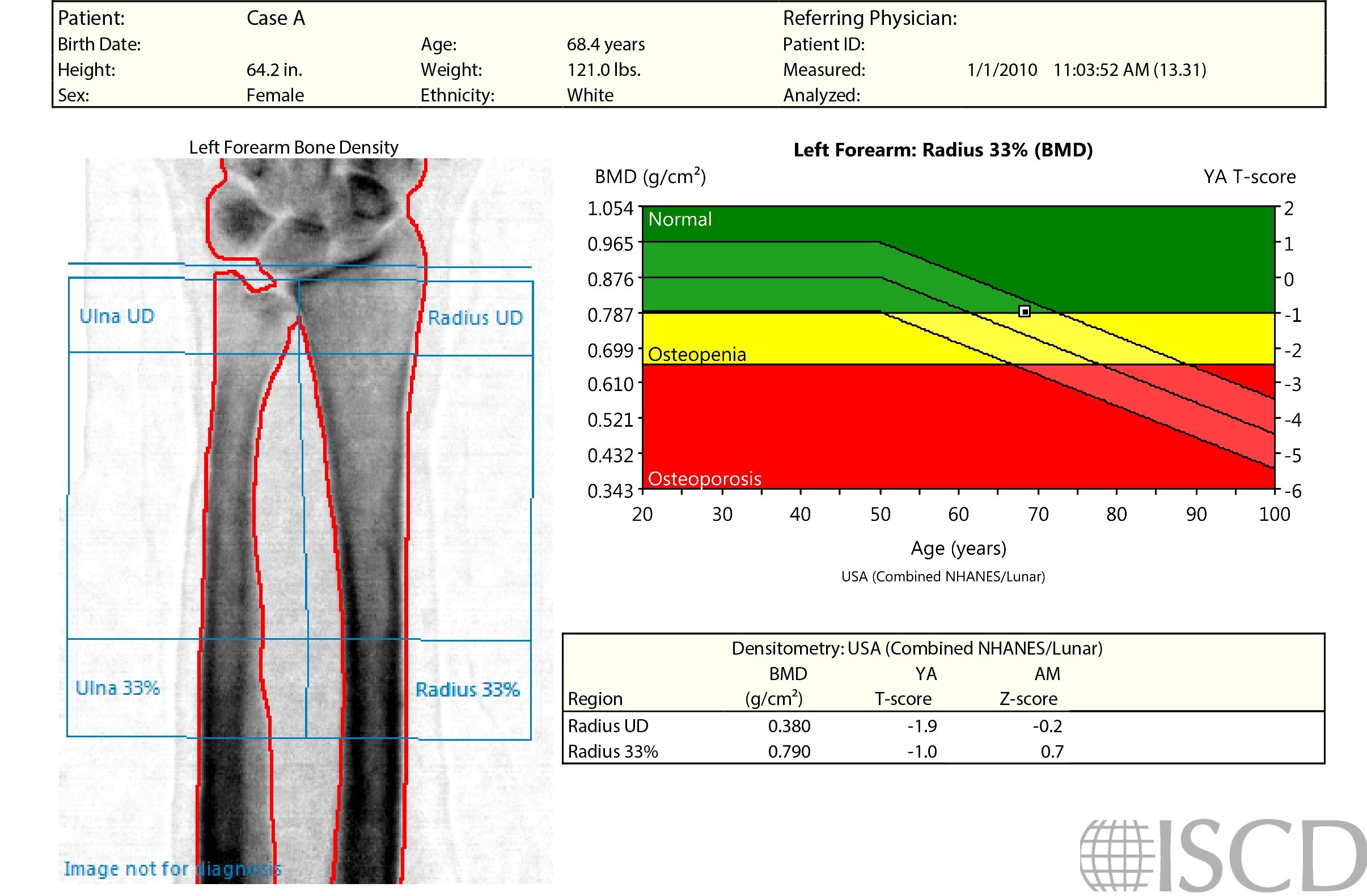
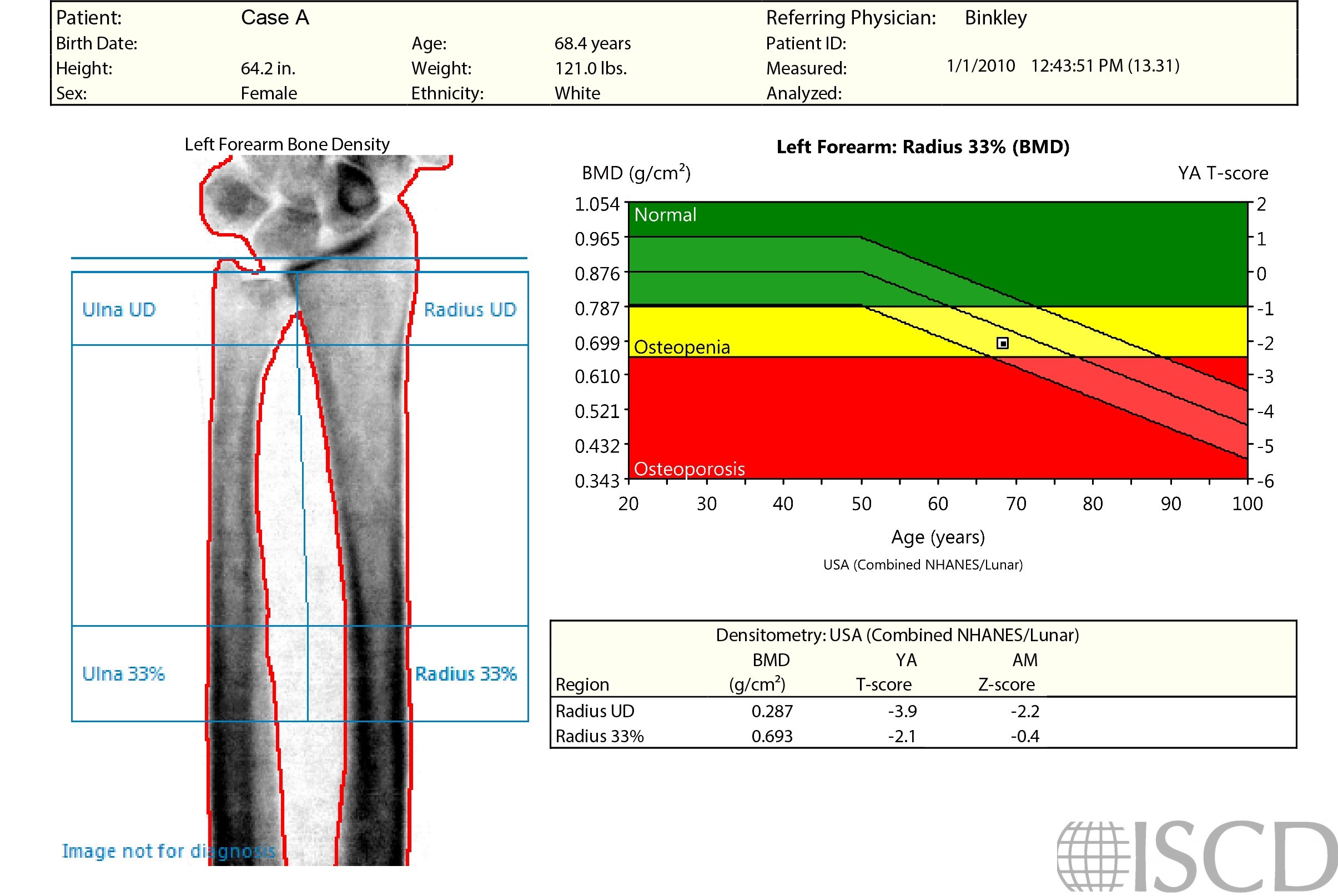
The point typing image indicates that the identification of bone is identical between both scans. Tissue point-typing demonstrates the problem, not only the patient’s arm, but the board are being measured as the soft tissue baseline. These different measurements in the respective BMD calculations result in the BMD difference observed from the reports.

Given the difference in densities between the positioner slot and the positioner, the software identified just the slot as air on the left. The scan on the right had consistent density outside the arm, consequently, that entire region was classified as air. This slot artifact only occurs when the slot covers the entire width of the first swipes at the very beginning or end. The recommendation is to always check the point-typing of forearm scans.

On a GE Healthcare scanner, the inclusion of positioner slots (where Velcro can be attached to the positioner) at the distal edges of the scan field can lead to soft tissue identification inaccuracies and incorrect 1/3 radius bone density measurements. It is recommended that technologists avoid slot inclusion in forearm scans, and point-typing should be evaluated as a part of routine analysis.
Diane Krueger, BS, CCRC, CBDT, University of Wisconsin Osteoporosis Clinical Research Program
• Krueger, D., et al., Positioner and clothing artifact can affect one-third radius bone mineral density measurement. J Clin Densitom, 2013. 16(2): p. 154-9.